界面密度
应用程序有时需要最大限度地利用屏幕空间,或者相反,需要更宽松的布局。为满足这些需求,DeltaDesign 主题允许您更改界面密度,从而调整元素内边距和字体大小。提供三种预定义模式:
-
Compact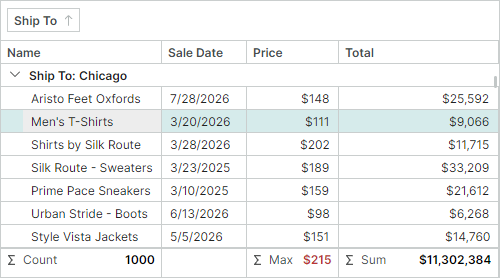
-
Standard(默认)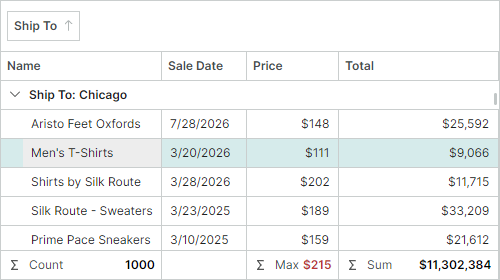
-
Spacious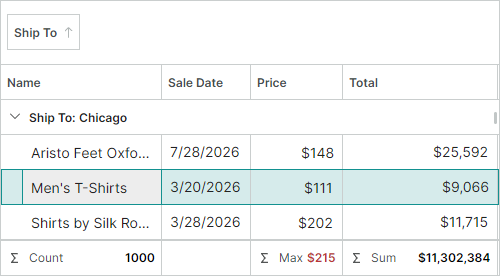
更改界面密度
要更改界面密度,请将 DeltaDesignTheme.Density 属性设置为 Eremex.AvaloniaUI.Themes.DeltaDesign.Density 枚举中的相应值。
以下示例在 App.axaml 文件中注册 DeltaDesign 主题时设置界面密度:
<Application xmlns="https://github.com/avaloniaui"
             xmlns:x="http://schemas.microsoft.com/winfx/2006/xaml"
             xmlns:theme="clr-namespace:Eremex.AvaloniaUI.Themes.DeltaDesign;assembly=Eremex.Avalonia.Themes.DeltaDesign"
             x:Class="MyApp.App">
    <Application.Styles>
        <theme:DeltaDesignTheme Palette="AtlasDeep"
                        Density="Compact"/>
    </Application.Styles>
</Application>
要在运行时更改界面密度,请在应用程序样式中找到已注册的 DeltaDesign 主题,并更新其 DeltaDesignTheme.Density 属性:
var deltaDesignTheme = Application.Current?.Styles.OfType<DeltaDesignTheme>().FirstOrDefault();
deltaDesignTheme.Density = Density.Compact;
在应用程序界面中创建密度选择器
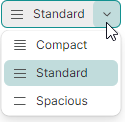
您可以使用 IAppearanceService 对象管理 DeltaDesign 主题选项,包括调色板、界面密度和主题变体。IAppearanceService 允许您在代码中更改主题选项。它还便于在界面中创建选择器控件(例如功能区库、组合框或菜单),让用户在运行时切换主题选项。
下图演示了用作界面密度选择器的组合框。
有关详细信息,请参阅以下主题:示例 - 创建密度选择器