激活和管理许可证
Eremex Controls 的开发者许可证通过来自 Guardant 的两款工具进行管理:
- “Guardant Control Center” —— 许可证管理服务。安装文件:Windows 版为
grdcontrol-x.xx.msi,Linux 版为grdcontrol-x.x_amd64.deb。 - “Guardant License Wizard” —— 一个图形界面和命令行工具,可用于添加、更新和转移许可证。可执行文件:Windows 版为
license_wizard.exe,Linux 版为license_wizard。
您可以通过以下链接下载这些工具:
- Guardant License Management Redistributables (Windows)
- Guardant License Management Redistributables (Linux)
在线激活 Eremex Controls 许可证
-
安装“Guardant Control Center”
-
运行“Guardant License Wizard”
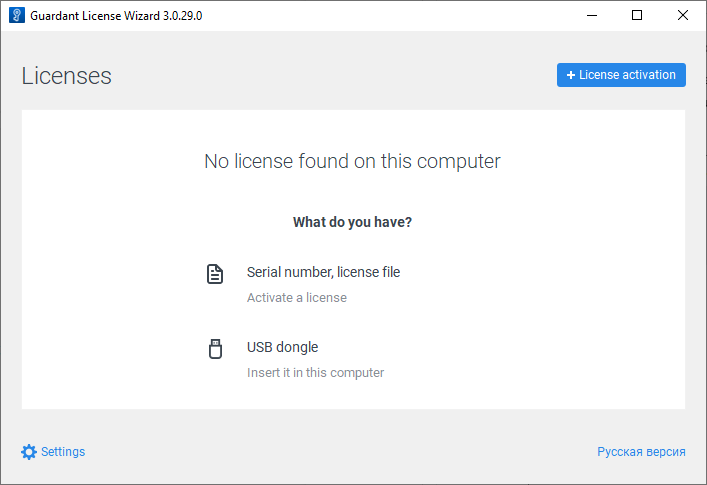
-
点击 Settings,并确保 Server address 属性设置为 https://getlicense.guardant.ru。
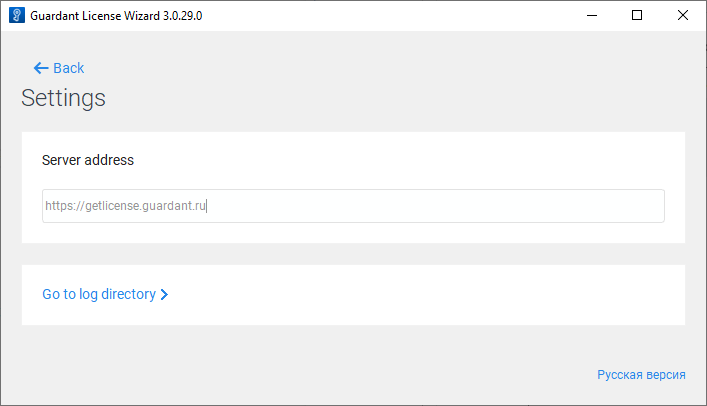
然后点击 Back 返回上一页。
-
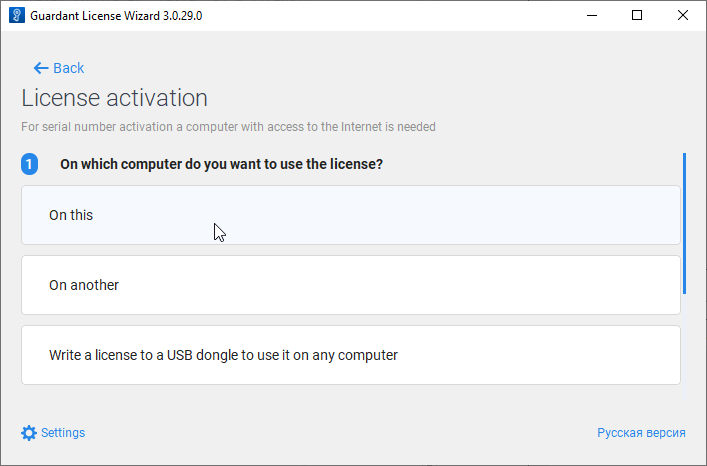
点击 License Activation 按钮以添加新的许可证密钥。
-
指定要在其上注册许可证的计算机。
-
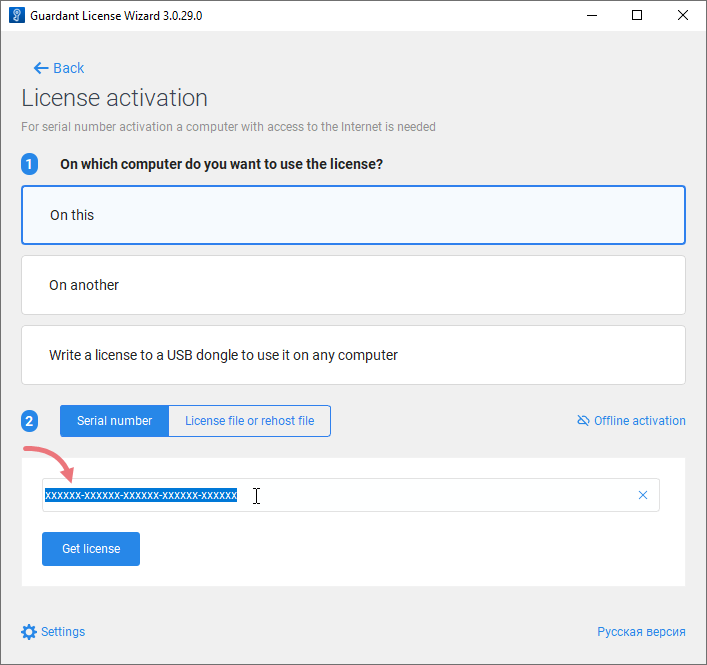
在 Serial Number 字段中输入您的许可证密钥。
-
点击 Get license。
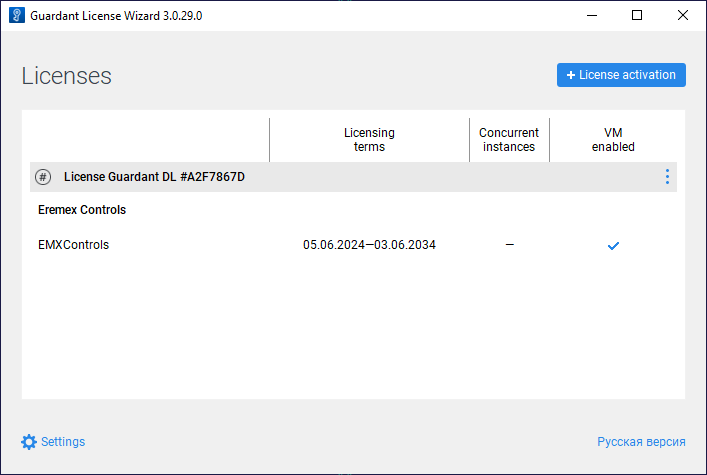
如果许可证激活成功,向导将显示已授权产品的相关信息。
从命令行注册许可证
获取所有命令行选项的信息
license_wizard --help
在线更新 Eremex Controls 许可证
-
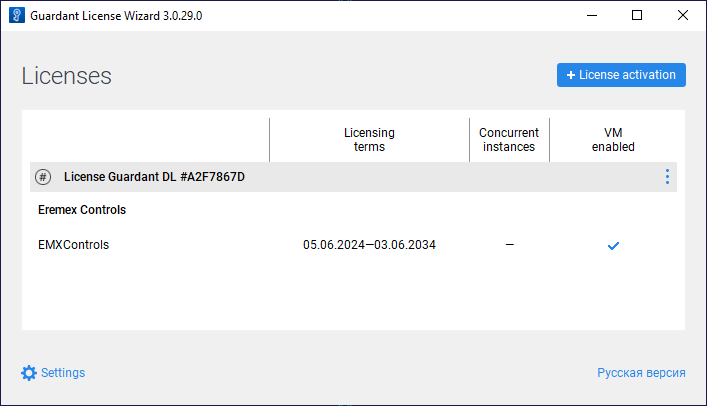
运行“Guardant License Wizard”
-
点击 Settings,并确保 Server address 属性设置为 https://getlicense.guardant.ru。然后点击 Back 返回上一页。
-
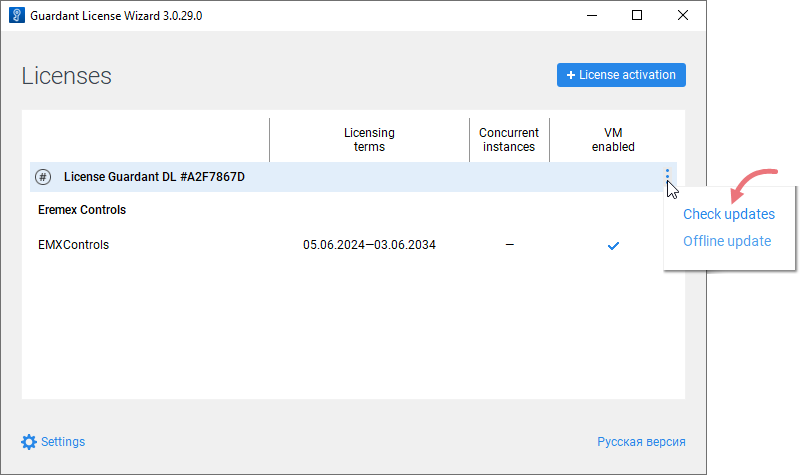
在 Licenses 页面中,点击省略号(“...”)按钮,然后点击“Check updates”。
-
如果在服务器上找到许可证更新,请点击出现的 Install Updates 链接。
-
操作成功后,向导将更新已注册的许可证。
从命令行更新许可证
离线激活 Eremex Controls 许可证
-
运行“Guardant License Wizard”
-
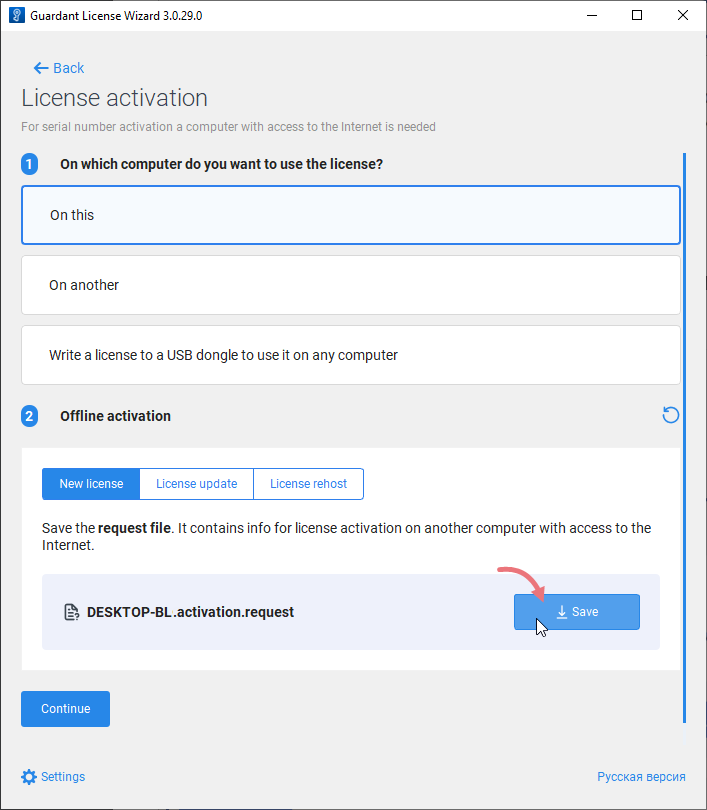
点击“License activation”。
-
选择“On this”以指定要在其上注册许可证的计算机。
-
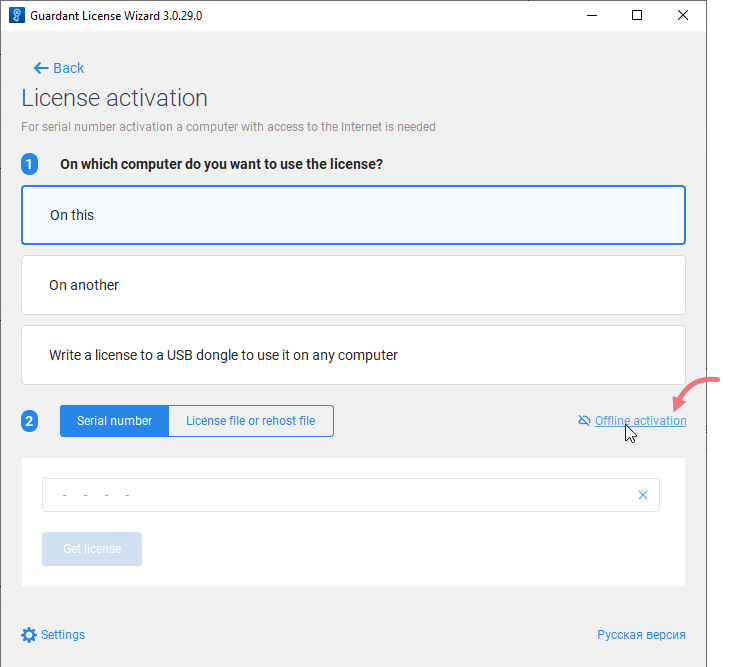
点击“Offline activation”按钮。
-
点击“Save”将新许可证的请求保存到文件中。
-
在另一台可以访问互联网的计算机上,运行“Guardant License Wizard”。
-
点击 Settings,并确保 Server address 属性设置为 https://getlicense.guardant.ru。然后点击 Back 返回上一页。
-
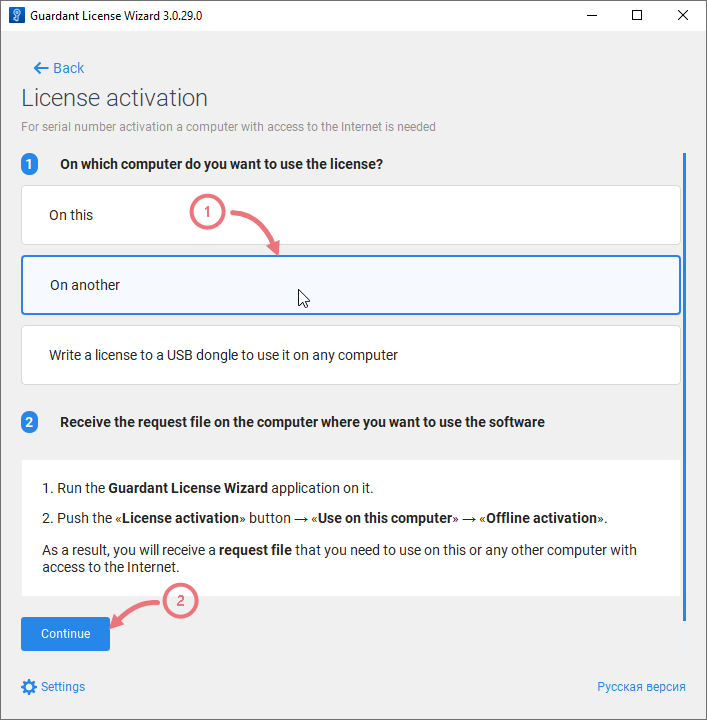
在 Licenses 页面中,点击 License Activation 按钮。

-
选择“On another”以指定要为其激活许可证的计算机。然后点击“Continue”。
-
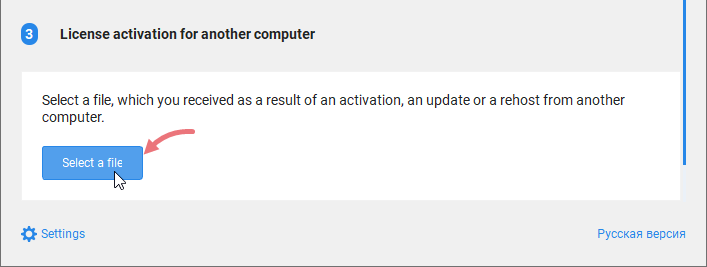
加载在目标计算机上生成的许可证请求。
-
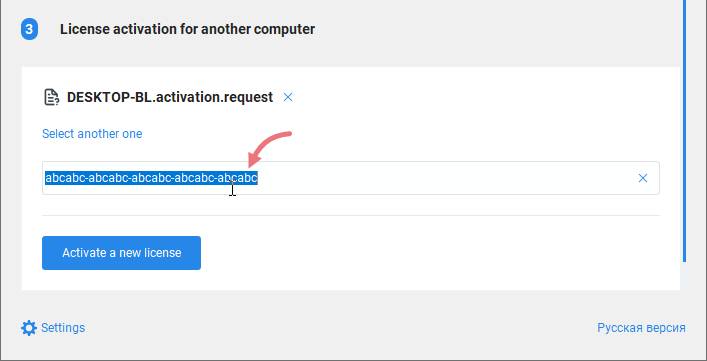
输入您的许可证编号,然后点击“Activate a new license”。
-
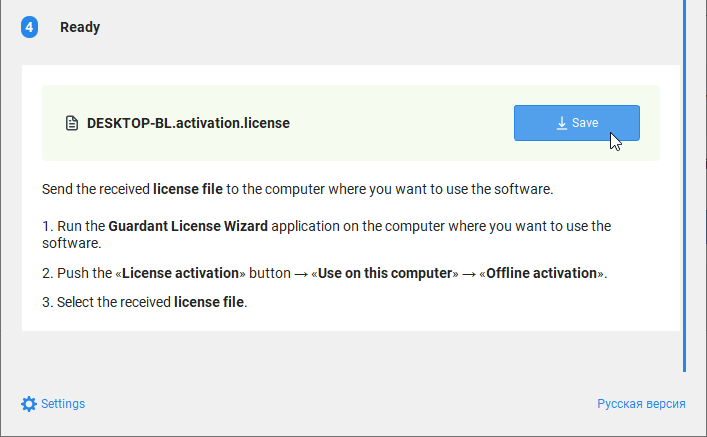
保存许可证文件(“*.license”)。
-
返回目标计算机。
-
运行“Guardant License Wizard”,并切换到“License activation”页面。
-
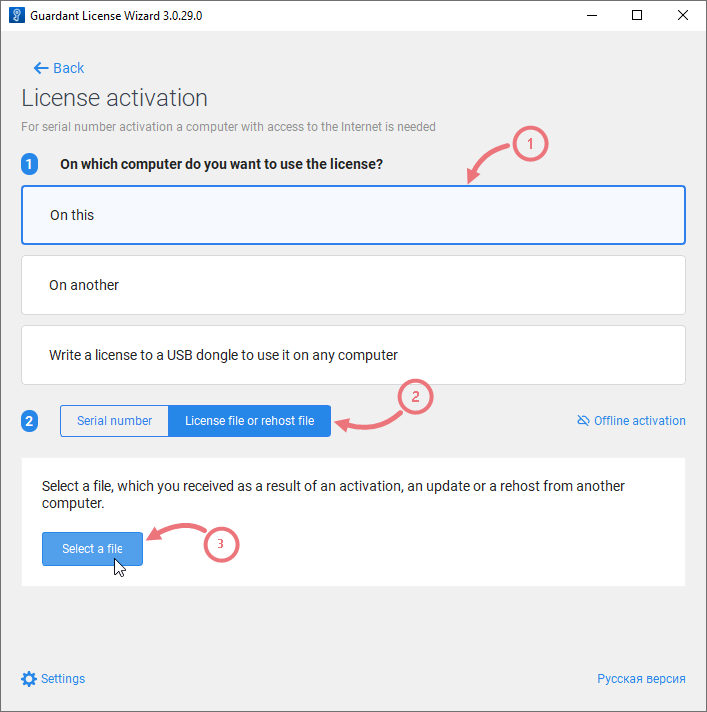
选择“On this”以指定用于许可证激活的计算机。然后点击“License file or rehost file”,并加载生成的许可证文件(“*.license”)。
-
激活许可证。
切换许可证
如果您的计算机上注册了两个或更多许可证,可以按照以下方式为项目选择所需的许可证。
-
如果
emxLicense.cs文件缺失,请先生成项目。生成后,该文件将引用找到的第一个许可证。emxLicense.cs文件中SetRuntimeLicenseOwner方法的第三个参数指定了许可证 ID。 -
运行“Guardant License Wizard”以查看已安装的许可证。
-
找到所需许可证的 ID(在许可证标题后显示的十六进制数字)。
-
将
SetRuntimeLicenseOwner方法中的许可证 ID 替换为新的 ID。 -
重新生成项目。
* 本页面使用机器翻译技术翻译。